Education

Teachers and students – How will you keep fit over the summer? (Workout/Video Included)

So folks, its almost the summer holidays. Can’t wait? Neither can I.

The summer holidays are a great opportunity to keep fit. David Palmer has been kind enough to put a weekly workout together for you all.

We have also created a video to guide you through the workout.

It would be amazing if you could pass this on to your students too. They will have 6 weeks off and no doubt they will get bored. Lets kill that boredom and make sure our young people are keeping fit over the holidays.

Direct link to the workout document

About David Palmer:

David joined the Army in 1997, he spent the first 5 years as a tank soldier in the 1st The Queens Dragoon Guards, spending time in Northern Ireland, Bosnia, Kosovo and Iraq . David then competed for Great Britain as a Bobsleigh pilot for 6 years, living and training in Bath University. During this time he trained as a Army Physical Training Instructor, he then spent the rest of career serving as a PTI, operating for some time in Afghanistan. Having reached the rank as a Staff Sergeant, David decided to move into education. He has a unique and inspirational style of teaching and has made a huge positive impact on students lives.

Twitter: @DavidPalmer39

iPad Trial 2012-2013 – A few initial notes

iPad

A few notes I have put together with some thoughts of how I will implement the iPad trial in September.

We are looking at buying a class of iPads initially and then taking it from there.

Leading up to September:

  • Buy iPads from reseller
    • Check they will help with the set up. Decent ones will
    • Do we get protective covers?
    • What charging solution?
    • Which reseller?
  • Get a Mac set up for iTunes
  • Think about the Apps we would like to buy
  • Buy an adapter so we can mirror iPad on the board
    • Can we do this for the inset?
    • Is the projector wireless
    • Buy an Apple TV? Could be a winner? Check it works on the wireless. Again…reseller could help with this.
    • http://www.youtube.com/watch?v=Dy7Q2vrU7uI
    • Would be great for Skype or FaceTime
      • Could use an adapter instead…but it is not wireless.
  • Plan the inset – could be done after the initial 1st day.
  • Produce training resources for staff
  • Set up DropBox account
    • 1 per students?
    • Per class?
    • 1 for the school
  • Email Address?
    • Email for each iPad?
    • Will not be workable in the trail for students having to put in their own school address all the time
  • Do the apps we want to use work on the network?
    • Edmodo
    • Socrative
    • Evernote
  • Create some digital resources
    • iBooks?
    • PDF?
    • Convert some department resources and make available on iPad/DropBox

Trial

  • Show departments some example projects
  • Departments can then bid for the class set
    • Come up with their own ideas
  • Department should have some trial iPads to play with.
    • 1 per department?
  • Each department will have a champion
    • They will be trained.
    • They will train the other members if their departments
    • Ideally they will volunteer.
  • All “champions” will attend meetings
    • Successes
    • Problems
    • Ideas
  • Every class member will be allocated a iPad
    • They must have the same one for the length of the trial
    • Sign out sheet
      • They will need to tic the iPads out
  • Evaluation process for each project
  • Final evaluation for whole trial

Things to consider

  • Make projects creatives, engaging and relevant.
  • We need to use them for the more “boring” projects too
  • How will we manage the classroom?
  • How long will the trail go on for?
    • Till Easter? This will give us time to properly evaluate?
  • What do we want the outcomes to be?
  • If the trial is a success do we buy more?
    • 1:1?
  • If it does not work, what will we do to make sure it does
  • Parents open evening
    • Show what we have been doing
    • Get them involved and engaged.
    • Keep them in the loop
  • Share training videos on iTunes U?
  • If we create some lesson videos, ebooks, audio podcast we can share them too.

Film yourself in the classroom (Video)

I decided to do something today that I have not done since my training year. That was, filming myself in the classroom.

To give you a little background, I am away at the Guardian Computer Science Seminar and I wanted to set some cover my 1st year class. Instead of simply writing down a set of instructions I thought I would film the beginning of another 1st year lesson. I could then make this available to my class in my absence.

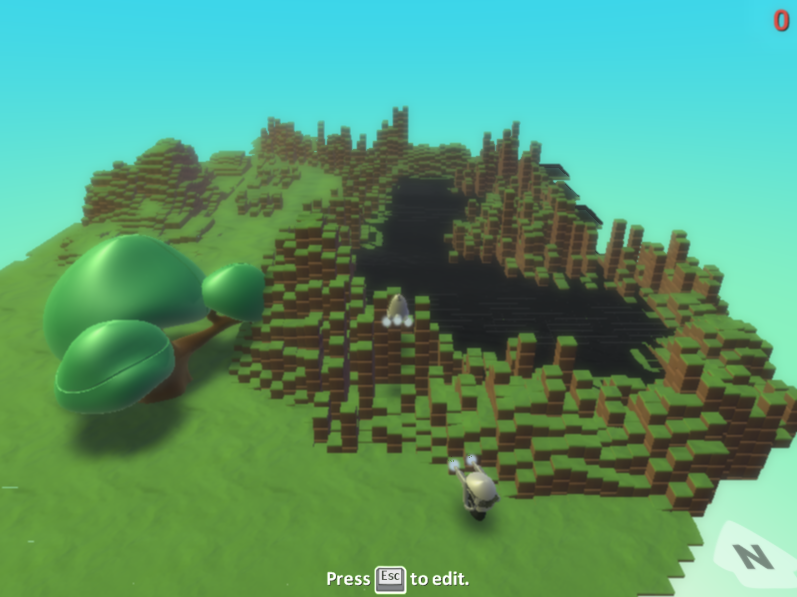
The students had already finished most of the Kodu programming and I wanted them to produce some documentation. The main learning objections had already met in previous lessons.

This is not the most exciting lesson you will see. I try to make the start of lessons more interactive, but because it was going to be used for another class (cover lesson) I had to try and make it a little more linear.

During this video, I do cover a few PowerPoint fundamentals. I wanted to cover all the bases to make sure my cover lesson went smoothly. This is also why it pans out like a seminar.

I was also very aware that I had a camera on me. It made me stutter a little, and act slightly differently. Very strange that a camera would make me respond like that as I am not a shy man.

So what did I think? Well, I noticed for starters that I do like repeating myself. I also have a habit of using the same words over and over again. In order to better evaluate my teaching I need to film myself when I do not intend to use it in another lesson. It would be more natural.

Any thoughts let me know.

Solar Walk iPad App – Quick Look (Video)

I have always been fascinated with the solar system and space. It may stem from me being a part-time geek and loving Star Wars when I was a kid.

On my iPad I have a few Apps that are pretty good. SkySafari, NASA HD and the Solar System ebook. However, I had not downloaded anything space related recently.

That was until yesterday. A colleague is going to be teaching astronomy next year and in the hope we buy some iPads I thought I would have a look at some Apps he could use in the classroom.

I came across Solar Walk and I have to say it is awesome. Defiantly a great looking, engaging, informative App for the classroom.

Because my current MacBook is a bit rubbish at the moment, I have used a video from the Gadget Show to give you an idea how amazing this App is. Luckily, I have just ordered a new MacBook Pro so my own video will follow soon.

Enjoy

Is it time to rebrand ICT?

This blog was originally published by The Guardian on 30th May 2012 and is an update of a previous post on this blog.

When I did my GTP several years ago I did next to no training in computing. As we all know the curriculum was very much ICT-based and that was fine with me. The skills I have very much fitted in with the curriculum I had to teach.

Things are now changing. Gove has told teachers that they don’t have to stick to the old curriculum. Over the past year and a half I have been able to teach my own curriculum anyway, as I have moved to an independent school. But it has been made very clear there is a need to teach computing in schools before KS4.

I agree this should happen, and it’s very exciting. However, it is also quite intimidating. I have spent almost seven years (including my training) teaching ICT with very little computing. Where do I go from here? Well, I have already started teaching visual programming usingKodu. I am also in the middle of writing a computer science scheme of work to be delivered next year. This will teach students how computers, smartphones and tablets work.

Is this enough? Like many ICT teachers I do not have a lot of curriculum time compared to other subjects. It would be a shame if state schools were forced to drop ICT and only deliver computing because of a lack of time. In fact, we would be doing our students a disservice.

Like many others I need guidance.

My biggest worry is programming. The reason I didn’t choose programming at university was because I find it very difficult. For me it is like learning a new language. I am very much of the opinion programming is not for everyone. Although, I understand it is very important.

I am sure there are other teachers like me who do not program. If the government want programming in schools they are going to need to stump up some money for training courses.

There is a danger that if teachers need retraining, courses will be supplied by large corporations like Microsoft or Google. Can we trust them to give teachers the training they need or will they simply take the money and create training that directly benefits them?

However, over the last few weeks I have been using Codecademy to learn Java Script and to become more proficient in HTML and CSS. This is free and has been fantastic. Hopefully, this will allow me to deliver more programming next year. Perhaps we do not need to pay for training and we can train ourselves?

If all students were taught to be programmers throughout their school lives would we find masses of them out of work? There are only so many jobs available. The people who will benefit the most will be those paid to write computing courses.

There has to be room for both ICT and computer science.

Students should able to choose between the two, certainly at KS4 or 5. After all students are able to choose which languages they learn or sciences they study.

We need both to be exciting and engaging. Teachers in different schools need to be sharing resources and schemes of work. Many are already, certainly the teachers I know. If we are to change the way ICT is perceived we need to be constantly evolving. If we want to incorporate computer science into schools we need innovative ways to teach it communicated to all.

Conferences like the Guardian Teacher Network’s Teaching Computer Science in Schools are important ways for people in education to get together and discuss what the future holds. These are great as long as teachers are allowed to get time out of school. I fear many may not.

I would also very much like to rebrand ICT, for me it is old fashioned. Perhaps “digital literacy” would be more appropriate?

There are several teachers who I follow on Twitter working on Digital Studies. Is that the rebrand we need? I don’t think there is one answer but I would certainly like to rebrand ICT at my school.

In conclusion, I am looking forward to including computer science into my curriculum. It is intimidating but a great opportunity for personal development. Now I must find the time to teach myself what I now must deliver. Finding the time in an already incredibly busy job may be toughest task of all.

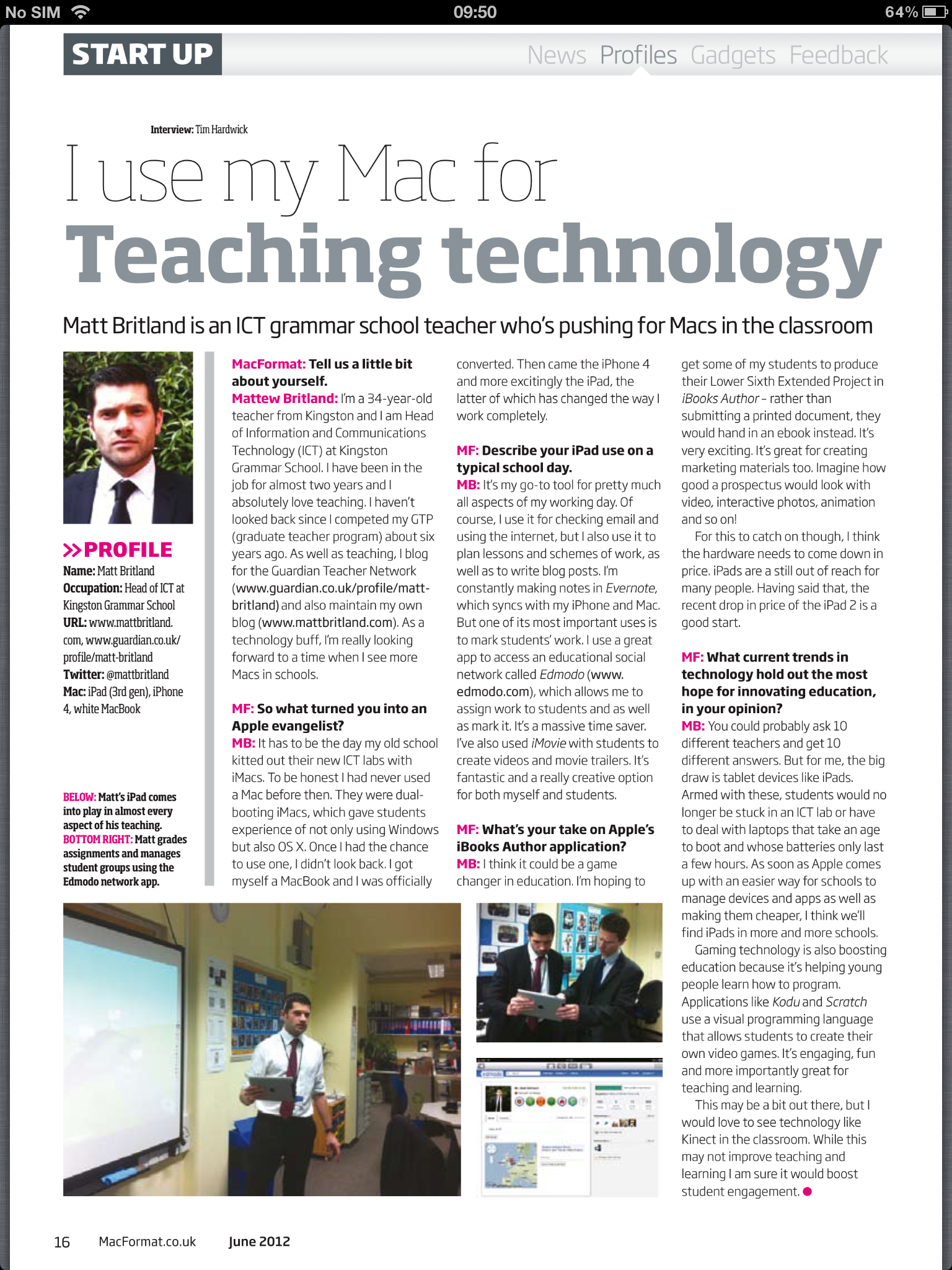
“I use my Mac for…” MacFormat Interview June 2012

iPad

I was lucky enough to do a very brief interview with MacFormat for this months magazine on what I use my Apple devices for.

Have a read below and I would also pick up the June edition as it has got some great stuff in.

Social Networks in Education (Survey)

The use of Social Media in educational settings is beginning to show terrific benefits. Many schools have already grasped some of these benefits, but many more are struggling to come to terms with the ideology of social media and how it best fits; a number of reasons can be cited e.g. Lack of strategic incentive, a lack of (or the myth of) technical know-how and concerns of e-safety to name a few.

Matt Britland (@mattbritland) and Alan Mackenzie (@esafetyadviser) have joined forces and are going to write a collaborative piece to tackle some of these issues. The outcome of this article will is:

To give examples of the type of Social Media services available.
To indicate the benefits of Social Media and give examples of good practice.
To mitigate some of the e-safety concerns of using Social Media in an educational environment.

If you wish to add further comments that aren’t identified in the survey, please email Matt and Alan as follows:
mr.britland@gmail.com
alan@esafety-adviser.com

The answers you give in the survey questions are a building block to this piece of writing; Matt and Alan would like to thank you in advance for your contribution.


Should all Students Learn how to Touch Type?

Are we preventing our students from being productive users of computers by not teaching touch typing? I think perhaps we are.

The question is; who teaches it and when will it be taught?

My thoughts are that it should not be taught in ICT lessons. Being able to touch type goes beyond ICT and is for many, a requirement for everyday life. But then, who does teach it? I don’t have an answer I am afraid, but would love to hear people’s opinions.

Should students have this skill before secondary school? Do we need to teach it at primary level, and can we expect students to be able to adopt these skills so early on? I see touch typing as asking students to write, without actually teaching them how to use a pen.

With the amount of work students do on computers I think that this skill is vital.

There is no doubt in my mind that many students (and teachers) who would find learning this skill very boring. I am pretty sure we can make it exciting. Especially with the adoption of gamification.

I am not suggesting that typing is now more important than writing, only that it is a skill that warrants teaching.

However, after saying all this, I cannot touch type, but I wish I had been taught. (I am quite fast, but not as fast as I would like to be) It’s on my list of things to do.

There are many schools, I am sure, who do teach touch typing. If you do I would love to hear from you. At present I am trying to see if I can work this into the curriculum myself, this maybe the biggest challenge.