Update: I have forgotten a few good ones that should have been included in the video:
- Double tap on Shift for Cap-Locks
- Double Tap on Space Bar for Full Stop
- Swipe up on Full Stop for Quotes
- Swipe up on Comma for Apostrophe
Update: I have forgotten a few good ones that should have been included in the video:

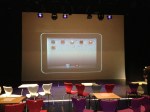
A photo taken just before the INSET began.
On Friday 28th of September we finally launched our iPad trial to all staff. There was only about 3 weeks to organise the event, but the whole thing went very well. Staff left excited, inspired and full of ideas. It really was an outstanding day!
The Build Up
After the summer holidays, I came back to school with the exciting prospect of our iPad trial. However, I realised how much work there was to do. Planning the launch to HoDs as well as organising a whole school INSET was pretty stressful. Luckily, the Asst Head (teaching and learning) was amazing and really helped organise everything. I have talked briefly about the launch to HoDs (2 weeks before the INSET for the whole school) in a previous post, so I will say very little about it here.
I really wanted the INSET to be an event. My idea was based around an Apple style keynote presentation. A few weeks before the INSET I spoke to several members of staff about ideas I had about Apps for T&L. I then asked if they would like to take part in the INSET, by showcasing not only the App, but how it can be used to enhance T&L, inspire and engage students.This would, of course involve speaking infront of the whole school. The teachers I asked jumped at the chance. The idea was to show all staff how other teachers would use the iPad by showcasing inspiring and innovative uses. This is far better than me and the Assistant Head getting up and talking at staff for 4 hours.
Once the speakers were organised I put a schedule together. To stick with the idea of a keynote event, I put together an online flyer using www.smore.com which was sent to all staff. You can see it HERE. I have removed full names.
The event was now organised. Before the INSET, the Assistant Head made some tweaks to the HoD launch presentation and we were almost good to go!
What I have not mentioned yet was how we would display the iPad screen in the theatre, where the INSET was taking place. This was perhaps the part of organising the event that was the most stressful.
My initial idea was to use an Apple TV to mirror the iPads wirelessly to the projector. Annoyingly, the Apple TV and our wireless network did not play nicely together. The IT team at school spent a week and a bit sorting it out, and to my relief they got it to work! Woo hoo! The last thing I wanted was to have the iPad wired to the projector.
What I eventually did was to use my MacBook Pro and the Reflections App to mirror my iPad. It worked slightly better for my needs as I was able to save the Keynote presentations as well as App videos on my Mac in case everything went wrong.
Before the INSET I also talked to our Theatre Manager and got him onboard with the lighting. It was very important to me that the lighting was right. The stage needed to be light, the screen needed to be dark and the audience needed to be atmospheric.
Staff was ready to go, tech was ready to go, I was ready to go.
The day of the INSET.

The theatre at 8am. One hour before launch.
The staff taking part in the INSET arrived at 8am and we checked the iPads and other bits of tech worked. Apart from a few hiccups it was fine.
At 9am the rest of the school staff arrived and I was nervous. In fact, I think all those speaking were nervous too.
First up was the Assistant Head, who went through the presentation below.
It was a great set up for the rest of the morning. The plenary slide, was obviously used at the end of the morning in the conclusion.
Next up was Tim (Physics), who showcased how he would use SolarWalk and why. Then Amy (History) and Graham went through Timeline: World War 2. A truly awesome App.
Helen (Library) then demonstrated and explained an amazing interactive magazine App that she had created herself using Adobe InDesign. She had used it for open evening and students and parents were blown away by it.
The last person before break was Jason (Music) who went through several creative music Apps. Guest post by Jason coming soon.
Break
The first App we showcased after the break was perhaps one of my favourites. Certainly one I think that can change the way iPads are used in the classroom – NearPod. This was a really interactive and fun session led by Mike (Biology). Everyone in the room were seriously blown away by the session.

Mike demonstrating NearPod.
The last person to showcase some Apps was me. I am not sure how everyone else was feeling but I was pretty nervous.
My session was on non subject specific Apps. Using Blooms Taxonomy of Apps I demonstrated 6 Apps that could be used across the curriculum. It was great to see in the afternoon INSET some teachers using the Apps I had demonstrated. Certainly put a smile on my face.
After my session, Graham concluded the INSET and we spent the last 30 minutes answering questions and talking to departments.
All-in-all an incredible morning.
When I went up to the staffroom for lunch afterwards I saw something amazing…members of staff sat around a table all with iPads, completely ignoring a massive tray of biscuits! Brilliant.



Thanks:
I wanted to thank Mark Anderson (@ictevangelist) and Daniel Edwards (@syded06) for their advice over the last few months. Cheers fellas.
All posters have been made using Phoster for iPad.
Direct links to shared DropBox folder HERE.





After a lot of planning, we have just announced/launched our school iPad Trial.
At 16:15 on Monday 17th it all came together. The presentation and demonstration lasted about an hour. HoDs walked away with a shinny new iPad, lots of enthusiasm, plenty of ideas and an understanding of what we have set out to do.
They saw that our trial was well planned and had a vision and aims.
In a week and a bit we will officially launch our trial to the rest of the staff in a whole school INSET, which I am planning now.
Below is my launch presentation. This was originally created and presented on the iPad in Keynote.
I hope you find it useful and perhaps it will even give you some ideas.

{UPDATED}
I have been working very hard over the last few months producing my new Computing curriculum and it is finally ready.
Details below:
Feel free to download and use this curriculum. If you use this booklet, its projects or ideas and would like to make a donation for its continuing development, please use the link provided. I would like to keep giving this document away for free so any donation would be amazing. Please click to be redirected to my donation page.
This is now version 2 – DOWNLOAD HERE
V2
I have added / amended the following:
End products have changed for the following projects:
In Development
If you would like some help with creating your own resources or would like me to produce any educational publications, please visit www.realiselearning.co.uk.

This is the 1st online safety unit students have in ICT.
In this project student will use www.thinkuknow.co.uk to learn about staying safe online and then produce an interactive kiosk style publication for other students.
Project: Staying Safe Online

I have seen magazine cover creation being taught in the past. What I often find is that what is produced look like posters, rather than magazines.
During this project we take a look at what magazine actually look like. Then students take the design features and elements we like to produce a cover of their own using what I have taught in lessons.
In the presentation below there is a link to example student work to give you an idea about what I expect. There is also a link to video tutorials. They will be added soon.
(Work in Progress)
Project: Graphic Design: Magazine Covers


This blog was originally published by The Guardian on 26th July 2012 and is an update of a previous post on this blog.
• For advice on e-safety in schools, click here
The use of social media in education continues to be something of a hot topic with arguments both for and against.
So I carried out a small survey of 27 teaching professionals in order to create a baseline of understanding into the use (or not) of social networking in schools, and also any concerns over some of the e-safety risks. The full survey results can be found here.
There are many uses of social media in education – below are just a few of the ways they can be effectively used.
• Using Facebook as a ‘broadcast’ account. This is a one-way communication from the school to parents, an information portal if you like. This is a great use of social media for many reasons including: quick, easy, cheap, most parents will have an account, saves on “lost” letters on the way home and also saves on printing costs.
• An increasing number of educational institutions are using Facebook pages for promotional reasons. This is another way for schools and universities to market themselves.
• Schools are beginning to use Facebook groups to communicate with students. This is a very powerful tool for sharing information and collaborating with students from a safe distance. Facebook groups do not require members to be friends with each other. Members of the groups can exchange files, links, information, polls and videos very quickly. Anytime someone contributes the group its members will receive a notification. If you have the Facebook smartphone app these can be pushed to your device.
• Facebook pages can also be used to create a central page for students and teachers to share information.
Inspiration:
University of Gloucestershire – This is a Facebook Page from my old university. It has a nice cover images and has a lots of links, articles, videos and photos shared on the wall, most of which are generating some discussion. Plenty for current students to get their teeth into. Plus, useful for future students to see what the university has on.
Cambridge University – Another good example. Like the University of Gloucestershire it’s very active with plenty to read and comment on. The Page has plenty of “likes” which points students and other member of the community to relevant Facebook Pages.
• Twitter, like Facebook, is also being used as a broadcast account. This often links to an RSS feed from the website that automatically tweets a news article when it is published on the website. This is great for parents on the move
• Teachers have been setting up subject or class Twitter accounts that students can follow. The teacher then tweets information related to their class. Some even set homework via Twitter.
Inspiration:
Risca Community Comprehensive – A great example of an active school Twitter feed. Varied and informative tweets for parents, staff and students. It is also great to see staff twitter accounts being retweeted. Lots of photos tweeted as well as plenty of tweets from the Head.
Clevedon School – Another great example of an active feed. Plenty of information and photos tweeted. Lots of useful tweets letting everyone in the school community what has been going on.
iClevedon – This is an account from the Clevedon again. This time rather than a whole school feed it is about the school iPad program. This allows more specific information regarding a subject can be communicated.
• Pinterest is becoming popular as a virtual pinboard. It is great for sharing web resources that students will find interesting or relevant.
Inspiration:
Teaching Central Channel http://pinterest.com/teachingchannel/?d – These are both American boards but they are populated with some very useful “pins”. It shows how Pinterest boards can be used and how great they can be for teachers.
Matt Britland – These are my Pinterest boards which I have just started populating. They are aimed at students and teachers. I have tried to split them into categories that students and teachers would find useful. When it comes to September I may create a different board for each of my schemes of work too.
We should not shy away from using social media in education but it is clear from the survey that many senior managers are worried about abuse.
However, if you have experts in your school they can provide a safe and secure framework for its use; they can create training materials and guidelines that teachers and staff can follow to ensure everyone knows what they can and cannot do.
The great thing is that many people know how to use Facebook already, and Twitter is so straightforward it would not take long for people to learn it. If there is no expert in school, seek advice, either from another school or from external expert.
I think it’s important to embrace social media as it is the primary way that young people communicate, alongside text messaging and instant messaging. Much of the time we force students down the route of email. Do we do that because it is easier for us? In my experience of using Facebook groups with students they pick up communications far quicker than email.
It is obviously not always appropriate to use social media, the important thing to remember is to use it where it seems fit. You do not have to ignore email or your VLE altogether. Ask your students. Would they like to have some way of communicating via social media? If so, what is best for them and the school?
Another issue that was raised in our survey was the fact that using social networks can encroach on students and staff members personal space. I can completely understand this and is one of the many reasons for not using a personal profile for Twitter, Facebook or whichever social network you choose. Having this second, professional profile gives the staff member some space.
The same cannot be said for the student, as in general they do use their personal account. That being said, the students I have spoken to don’t see this as a problem so long as the teacher is not too “loud”. Twitter could be used to simply share useful links related to teaching and learning. It can be very unobtrusive.
As mentioned in the bullet points above the social networks could be used as broadcast accounts. This is perhaps the “safer” option, especially if all communication is outwards to the rest of the world rather than used to respond to questions. Twitter is especially good for this as it can be linked to the school RSS feed. This is a huge time saver and reduces the need to keep tweeting news.
However, the Twitter account can still be used for bespoke tweets by the head or nominated member of staff managing the feed. If you are clear in the profile that it is for broadcasting information only, it will not look rude if you do not reply to tweets.
Schools also worry about inappropriate use not only by students, but staff as well. Most schools filter social networks which leads to the question that promoting the use of social networks is hypocritical when we do not allow them in school. You could argue that this is true. My personal feeling is that we need to teach both students and staff appropriate use; by banning them in school we are not teaching anyone anything. I am a realist and understand that most schools will not suddenly unfilter Facebook or Twitter for students.
However, many students are using smartphones to check their favourite network so filtering them in school makes little difference. In fact, by filtering we have even less opportunity to monitor whether they are being used appropriately.
A few notes I have put together with some thoughts of how I will implement the iPad trial in September.
We are looking at buying a class of iPads initially and then taking it from there.
Leading up to September:
Trial
Things to consider
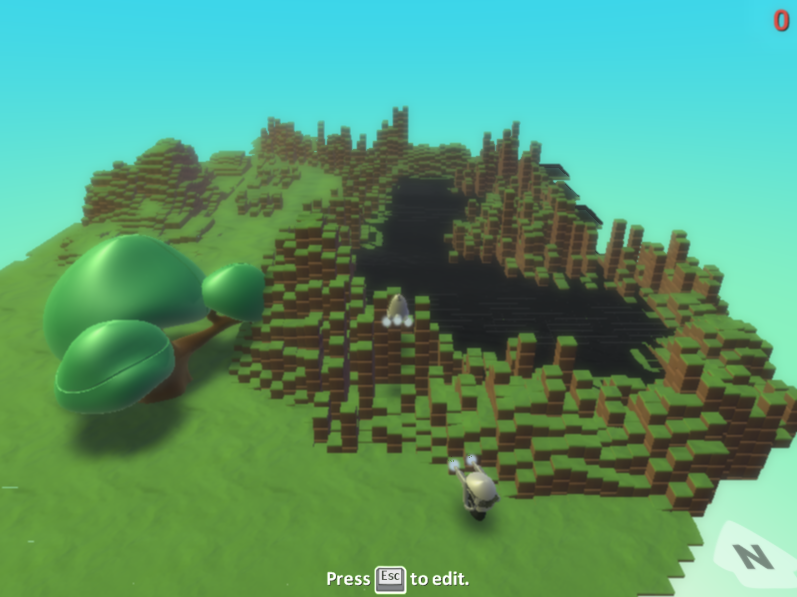
I decided to do something today that I have not done since my training year. That was, filming myself in the classroom.
To give you a little background, I am away at the Guardian Computer Science Seminar and I wanted to set some cover my 1st year class. Instead of simply writing down a set of instructions I thought I would film the beginning of another 1st year lesson. I could then make this available to my class in my absence.
The students had already finished most of the Kodu programming and I wanted them to produce some documentation. The main learning objections had already met in previous lessons.
This is not the most exciting lesson you will see. I try to make the start of lessons more interactive, but because it was going to be used for another class (cover lesson) I had to try and make it a little more linear.
During this video, I do cover a few PowerPoint fundamentals. I wanted to cover all the bases to make sure my cover lesson went smoothly. This is also why it pans out like a seminar.
I was also very aware that I had a camera on me. It made me stutter a little, and act slightly differently. Very strange that a camera would make me respond like that as I am not a shy man.
So what did I think? Well, I noticed for starters that I do like repeating myself. I also have a habit of using the same words over and over again. In order to better evaluate my teaching I need to film myself when I do not intend to use it in another lesson. It would be more natural.
Any thoughts let me know.


 mattbritland.com