Check out out the Game to Learn Facebook group and YouTube Channel for more interviews and other good stuff.
Teaching

A Basic Introduction to Keynote (iPad)
Share this:
Being an outstanding teacher relies on more than passing harder QTS tests

This blog was originally published by The Guardian on 12th November 2012.
The government recently announced its latest change to the teacher training programme: in order to make entry into teaching more challenging they will make the QTS skills tests more difficult by raising the pass grade over the next three years.
In order to pass, candidates will need to score the equivalent of a B at GCSE to pass. The government is also hoping to attract high achieving computer scientists into teaching by offering £20,000 scholarships. Yes we need high flying graduates if they have the correct skills to teach. However, a degree from a Russell Group university or an outstanding academic record isn’t simply a passport to good teaching.
When I took my GCSEs (nearly 20 years ago) I ‘only’ achieved a C in English and maths. Does this mean someone who achieved an A* or an A would be a better teacher? Of course not. Raising the minimum requirement to pass the QTS skills test to the equivalent of a B will not improve the quality of teaching, but only prevents potentially outstanding teachers from entering the profession.
It seems like another misguided step from Michael Gove, the education secretary, and shows he understands little about what is required to teach. It is also very shortsighted to think that the standard of teaching will improve because these tests are harder to pass.
In all honesty, why do we have a system that includes skills tests in the first place? If the prerequisite for entry onto a PGCE course includes GCSEs in both English and maths (and science if in primary training) then surely that is a better indication of your ability? Why the need for both?
During my career I have worked and trained with people who, on paper, are far more qualified than me, including the academically gifted and experienced industry professionals. Many of these people have entered the profession under the impression that qualifications, and being considered a ‘high flyer’ in their industry, will mean they will be a great teacher. Inevitably it’s a shock when they start training.
I have also seen many people who, according to their qualifications, should be outstanding, but have dropped out during their training year, failed to complete their NQT year or struggled to get teaching jobs. Why? Because it turns out, there is more to teaching than having a list of qualifications as long as your arm or how successful you are in a chosen industry. More should be made of the other qualities teachers require, that dare I say, are more important.
What qualities make an outstanding teacher?
I tweeted the following question to my followers on Twitter: “What are the most important things to look for in those wanting to train as teachers?”
I really wanted to know what other teachers around the country thought. Was I being naive in thinking that Gove was taking the wrong approach, that raising standards is as easy as raising the minimum qualifications required to train?
Below are some of the qualities I took from the Twitter response:
• The ability to build relationships, passion, a desire for learning, flexibility and being able to adapt.
• The need to enjoy working with young people and have an idea of what a career in teaching entails.
• A sense of humour in trainee teachers and the ability to see past labels.
• The ability to inspire, treat learners like equals and see the potential in all students. Teachers need to be positive, optimistic and confident.
One person tweeted that adaptability was more important than qualifications, which I thought was a great point. Not one person mentioned that trainee teachers need to be highly qualified.
The hypocrisy of Gove’s mission to improve the standard of new teachers is that academies can employ people who do not even have a formal teaching qualification to teach. On one hand Gove is saying how important it is that we only allow people to teach who have the best qualifications, and on the other hand that actually, it doesn’t matter, employ who you like.
Raising the standards of teaching is very important and I am all for it. However, we cannot lose sight of the other qualities required to teach, over and above just teachers’ qualifications.
Share this:

Facebook Privacy Settings – Teach your students

A photo of Facebook privacy settings, during todays lesson.
After talking to the many students I teach, it is very clear that the majority do not seem to understand the Privacy setting on Facebook. This is obviously a massive concern, due to the sheer numbers of students across the country/world on Facebook.
I decided to remedy the situation during my year 9/3rd year project ‘Your Digital World‘.
For 15 – 20 minutes (however long it takes) at the beginning of each lesson this week, I gave students a tour of the Facebook privacy and profile settings. Some students knew some of the settings, but I would say the majority knew very little.
Students got really involved and asked plenty of questions. At the end of every lesson I have taught, they had said they were going to change the settings as soon as they got home.
I would encourage all schools to teach this information to their students and staff, if they do not already.
If you school/IT department block Facebook, ask them to unblock it for staff (students even) so they can deliver this important information. Even if it is only for the duration of the lessons.
I would love to hear from other schools doing something similar. I am particually interested in hearing from those at schools who will not unfilter Facebook, even for a lesson so that you can teach about the privacy settings.
Share this:

iPad Keyboard: Tutorial (Update)
Update: I have forgotten a few good ones that should have been included in the video:
- Double tap on Shift for Cap-Locks
- Double Tap on Space Bar for Full Stop
- Swipe up on Full Stop for Quotes
- Swipe up on Comma for Apostrophe
Share this:
iPad (iOS6) – Guided Access: Lock Students into one App (Video)
A quick guide/tutorial to Guided Access in iOS6.
Share this:
iPad Launch to all staff- INSET: How it worked (Resources Included)

A photo taken just before the INSET began.
On Friday 28th of September we finally launched our iPad trial to all staff. There was only about 3 weeks to organise the event, but the whole thing went very well. Staff left excited, inspired and full of ideas. It really was an outstanding day!
The Build Up
After the summer holidays, I came back to school with the exciting prospect of our iPad trial. However, I realised how much work there was to do. Planning the launch to HoDs as well as organising a whole school INSET was pretty stressful. Luckily, the Asst Head (teaching and learning) was amazing and really helped organise everything. I have talked briefly about the launch to HoDs (2 weeks before the INSET for the whole school) in a previous post, so I will say very little about it here.
I really wanted the INSET to be an event. My idea was based around an Apple style keynote presentation. A few weeks before the INSET I spoke to several members of staff about ideas I had about Apps for T&L. I then asked if they would like to take part in the INSET, by showcasing not only the App, but how it can be used to enhance T&L, inspire and engage students.This would, of course involve speaking infront of the whole school. The teachers I asked jumped at the chance. The idea was to show all staff how other teachers would use the iPad by showcasing inspiring and innovative uses. This is far better than me and the Assistant Head getting up and talking at staff for 4 hours.
Once the speakers were organised I put a schedule together. To stick with the idea of a keynote event, I put together an online flyer using www.smore.com which was sent to all staff. You can see it HERE. I have removed full names.
The event was now organised. Before the INSET, the Assistant Head made some tweaks to the HoD launch presentation and we were almost good to go!
What I have not mentioned yet was how we would display the iPad screen in the theatre, where the INSET was taking place. This was perhaps the part of organising the event that was the most stressful.
My initial idea was to use an Apple TV to mirror the iPads wirelessly to the projector. Annoyingly, the Apple TV and our wireless network did not play nicely together. The IT team at school spent a week and a bit sorting it out, and to my relief they got it to work! Woo hoo! The last thing I wanted was to have the iPad wired to the projector.
What I eventually did was to use my MacBook Pro and the Reflections App to mirror my iPad. It worked slightly better for my needs as I was able to save the Keynote presentations as well as App videos on my Mac in case everything went wrong.
Before the INSET I also talked to our Theatre Manager and got him onboard with the lighting. It was very important to me that the lighting was right. The stage needed to be light, the screen needed to be dark and the audience needed to be atmospheric.
Staff was ready to go, tech was ready to go, I was ready to go.
The day of the INSET.

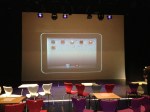
The theatre at 8am. One hour before launch.
The staff taking part in the INSET arrived at 8am and we checked the iPads and other bits of tech worked. Apart from a few hiccups it was fine.
At 9am the rest of the school staff arrived and I was nervous. In fact, I think all those speaking were nervous too.
First up was the Assistant Head, who went through the presentation below.
It was a great set up for the rest of the morning. The plenary slide, was obviously used at the end of the morning in the conclusion.
Next up was Tim (Physics), who showcased how he would use SolarWalk and why. Then Amy (History) and Graham went through Timeline: World War 2. A truly awesome App.
Helen (Library) then demonstrated and explained an amazing interactive magazine App that she had created herself using Adobe InDesign. She had used it for open evening and students and parents were blown away by it.
The last person before break was Jason (Music) who went through several creative music Apps. Guest post by Jason coming soon.
Break
The first App we showcased after the break was perhaps one of my favourites. Certainly one I think that can change the way iPads are used in the classroom – NearPod. This was a really interactive and fun session led by Mike (Biology). Everyone in the room were seriously blown away by the session.

Mike demonstrating NearPod.
The last person to showcase some Apps was me. I am not sure how everyone else was feeling but I was pretty nervous.
My session was on non subject specific Apps. Using Blooms Taxonomy of Apps I demonstrated 6 Apps that could be used across the curriculum. It was great to see in the afternoon INSET some teachers using the Apps I had demonstrated. Certainly put a smile on my face.
After my session, Graham concluded the INSET and we spent the last 30 minutes answering questions and talking to departments.
All-in-all an incredible morning.
When I went up to the staffroom for lunch afterwards I saw something amazing…members of staff sat around a table all with iPads, completely ignoring a massive tray of biscuits! Brilliant.
-

- The theatre at 8am. One hour before launch.
-

- Mike demonstrating NearPod.

Thanks:
I wanted to thank Mark Anderson (@ictevangelist) and Daniel Edwards (@syded06) for their advice over the last few months. Cheers fellas.
Share this:

Posters for my ICT displays (Updated with DropBox link)
All posters have been made using Phoster for iPad.
Direct links to shared DropBox folder HERE.




Share this:

iPad Trial – Launching to Head of departments (Presentation)

After a lot of planning, we have just announced/launched our school iPad Trial.
At 16:15 on Monday 17th it all came together. The presentation and demonstration lasted about an hour. HoDs walked away with a shinny new iPad, lots of enthusiasm, plenty of ideas and an understanding of what we have set out to do.
They saw that our trial was well planned and had a vision and aims.
In a week and a bit we will officially launch our trial to the rest of the staff in a whole school INSET, which I am planning now.
Below is my launch presentation. This was originally created and presented on the iPad in Keynote.
I hope you find it useful and perhaps it will even give you some ideas.
Share this:

iPad Training – Gestures Video
This is a training video covering gestures on the iPad.
 mattbritland.com